

How To Create Tree Structure In Javascript
The main goal of this post is to explain how to create, traverse and search Trees in javascript, using a real world example.
Let's say we are working for a client that needs to have an e-commerce store for their business. In one of the meetings, he states the following requirements:
1. The store administrator must be able to add, r e move and edit categories.
2. A category can have one or n subcategories.
3. A product should have a name, price and the category he belongs to. (Category is a mandatory field here, there is no point to have a product with no category)
From this requirements list one can think of making a class diagram like the following:
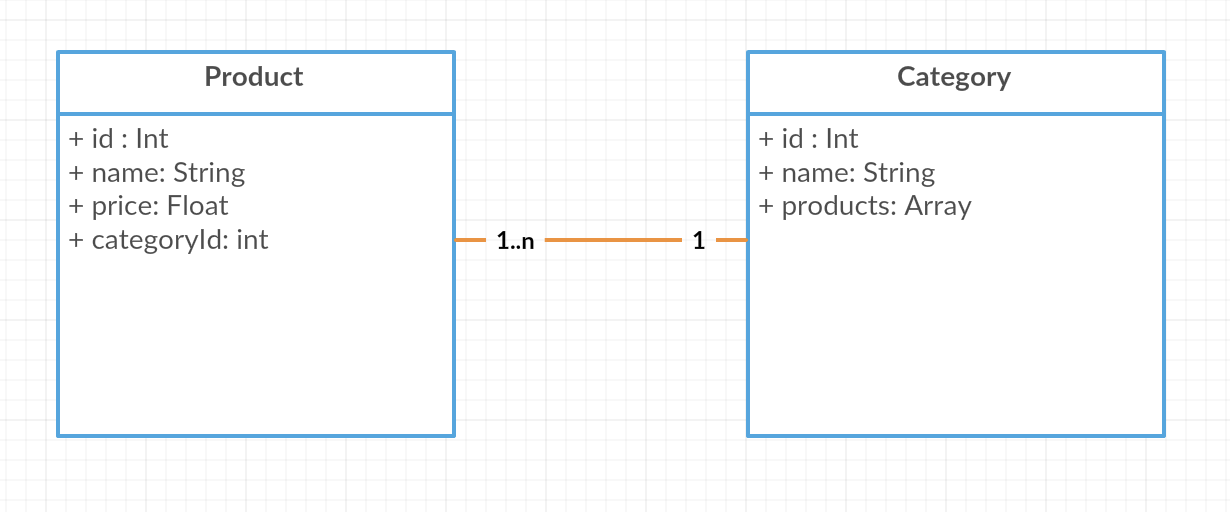
There is nothing wrong with this approach, but what would happened if we want to remove a product?. We have to first search for the category he belongs to and remove it from the products array of that particular category. That seems some extra work that I don't want to do.
Another approach would be that categories know nothing about the products they hold, instead, the products are the only schema that holds a relationship to the category they belong to.
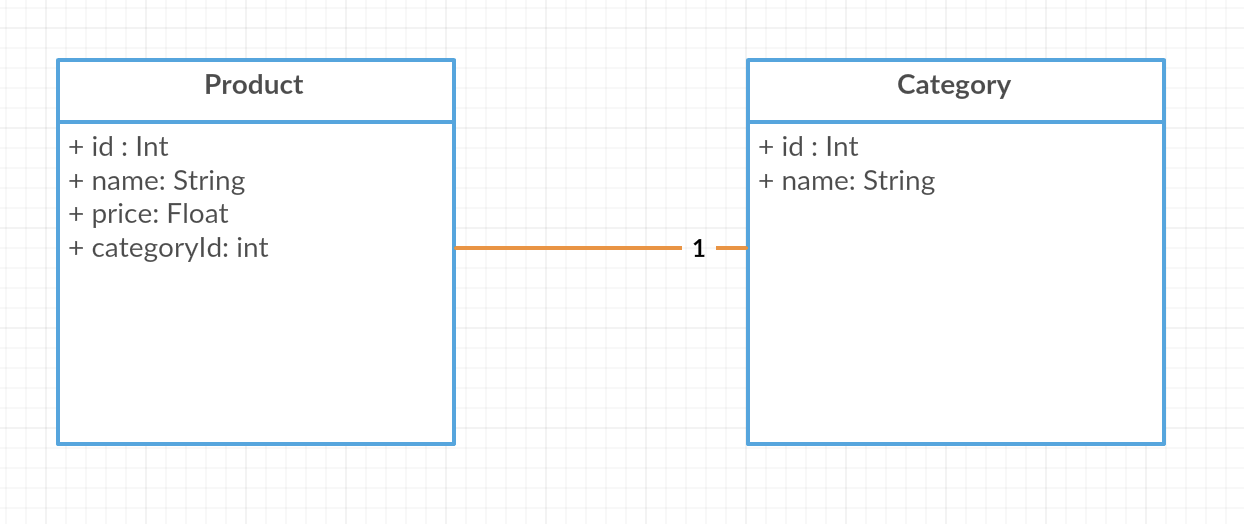
You might be asking yourself, "Where do trees take place in all this nonsense?". Well, we need to think of a way to structure our categories and subcategories, and for that, we are going to use trees. Look at the following example:
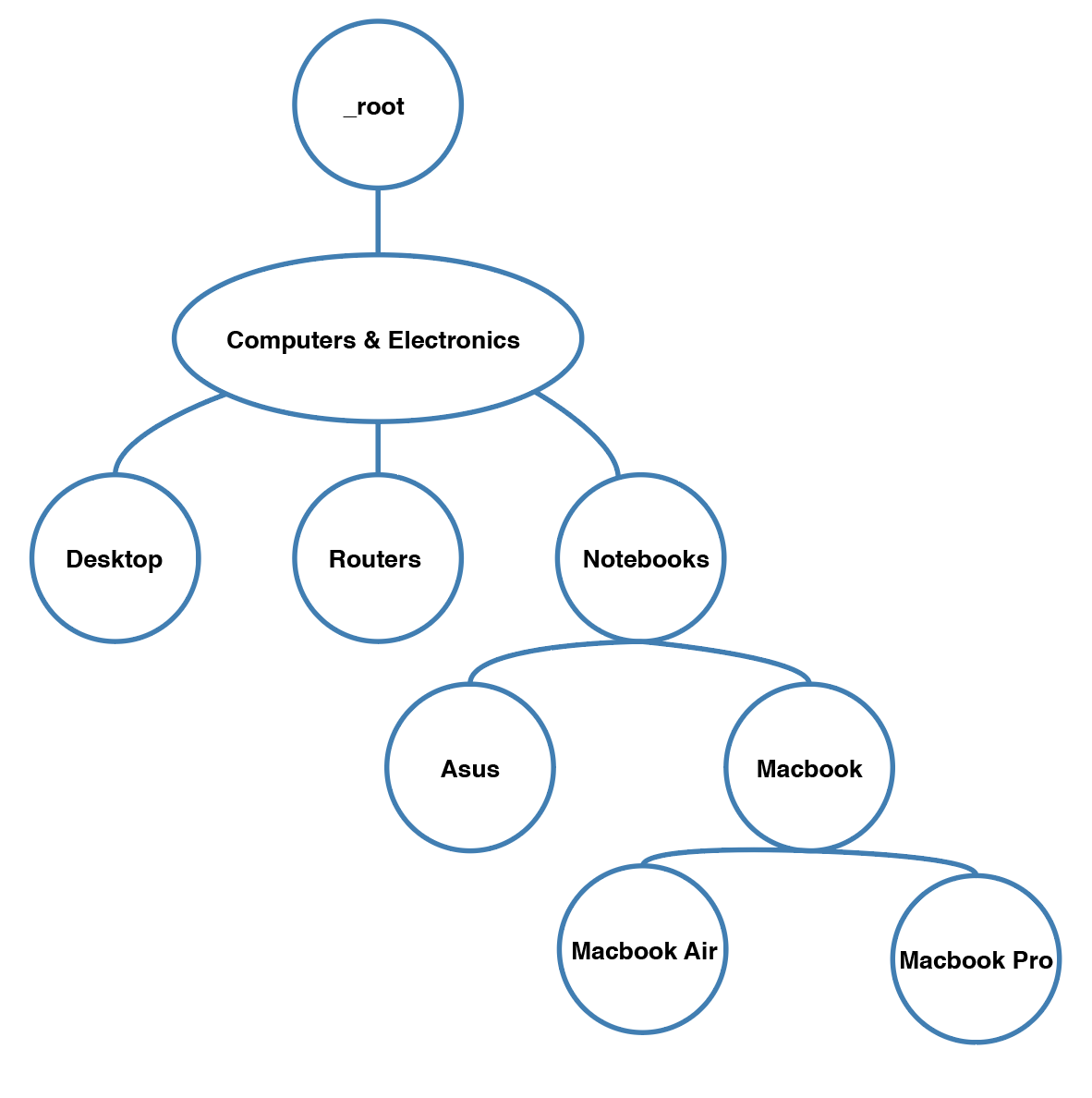
That looks like a tree to me. Let's go through the logic of building the tree structure in javascript, but first let's think of the operations we need to perform over it.
- Add a category (node) to the tree. For this operation, we would take the parent node to which we want to add a category, as a parameter. Something like this: /_addNode(parentNode) {…}/
- Remove a category (node) from the tree. For this, we would only need the node to remove as a parameter.
- Search operation that takes a category as a parameter and returns the node.
- I would also want to know the leafs of a particular node. This is going to come in handy when the user clicks on a category, we would search for the leafs and then iterate through the product list and see if any product has at least one of leafs (categories), in case it has, we should display it. For example the user clicks in the Notebooks category, the leafs of this node are: Asus, MacBook Air, and MacBook Pro. We iterate through the products list and only display those products that have one of this tree subcategories.
Finally, let's write some code to hold the structure of our tree.
Traverse
The traverse method takes a callback function as its parameter, this callback function will be called with a particular node throughout the iteration process.
It defines a goThrough function that takes a node, in our case the first time calling this function we are going to pass down the root node.
Inside the goThrough function, the first thing is to call the callback function with that particular node, then it iterates through every child of the node and performs a recursive call with each and every child. Just to shed some light on this code let's see how we would make use of this function.
Add node
The _addNode method takes a value and a parentValue to which we want to add the node.
We start by creating the structure of the new node with its value set to the one passed by parameter and with an array of empty children.
We check if our root node is null, if it is, we just set our root node to point to our newly created node.
If our root node is not null, we traverse the tree to find the parentValue, and once we find it we push our newly created node to our parentNode children.
Remove node
This method is pretty much self-explanatory. We iterate through the tree with the traverse operation and when we find the parent node of the node we want to remove, we just remove it from the parent's node children array.
Search node
The search operation traverses the tree and when we find that the value of the node matches the one being search, we return the entire node.
Display leafs
The display leafs method takes a parentValue such as "Notebooks" and aims to display all the leaf categories of this node, in our example would be "Asus" "MacBook Pro" and "MacBook Air".
The first line checks whether the parameter being passed to the function is a string or a node. If it's a string we perform a search operation to retrieve the actual node.
Then it checks the condition for a node to be a leaf, which is to have no children. If this is the case then we know for sure we have a leaf of our parent node so we return its value.
We store each leaf in an array, and we finally flatten that array just before returning. So the result of this would be something like ["Asus", Macbook Pro", "MacBook Air"].
How To Create Tree Structure In Javascript
Source: https://medium.com/@_jmoller/javascript-data-structures-trees-c961297e6482
Posted by: santiagowareatur.blogspot.com
0 Response to "How To Create Tree Structure In Javascript"
Post a Comment